

Training & Access
Training in Colabmacs ensures that you have the required knowledge and authorization to safely and appropriately use shared resources. Training directly controls what you can book, what you can start, and what you can use.
This page explains how training works, how to find training, and how your training status affects access.
How Training Works
Colabmacs does not deliver training content itself. Instead, it records Training Records that represent whether you have completed required training.
These records are then used to control access to:
If training is required for something you want to use, Colabmacs will guide you toward the next step.
Key Idea
You never have to guess why you can’t access something — Colabmacs will always show you what’s missing and how to resolve it.
Training Sessions (Scheduled Training)
Many trainings are offered as scheduled training sessions.
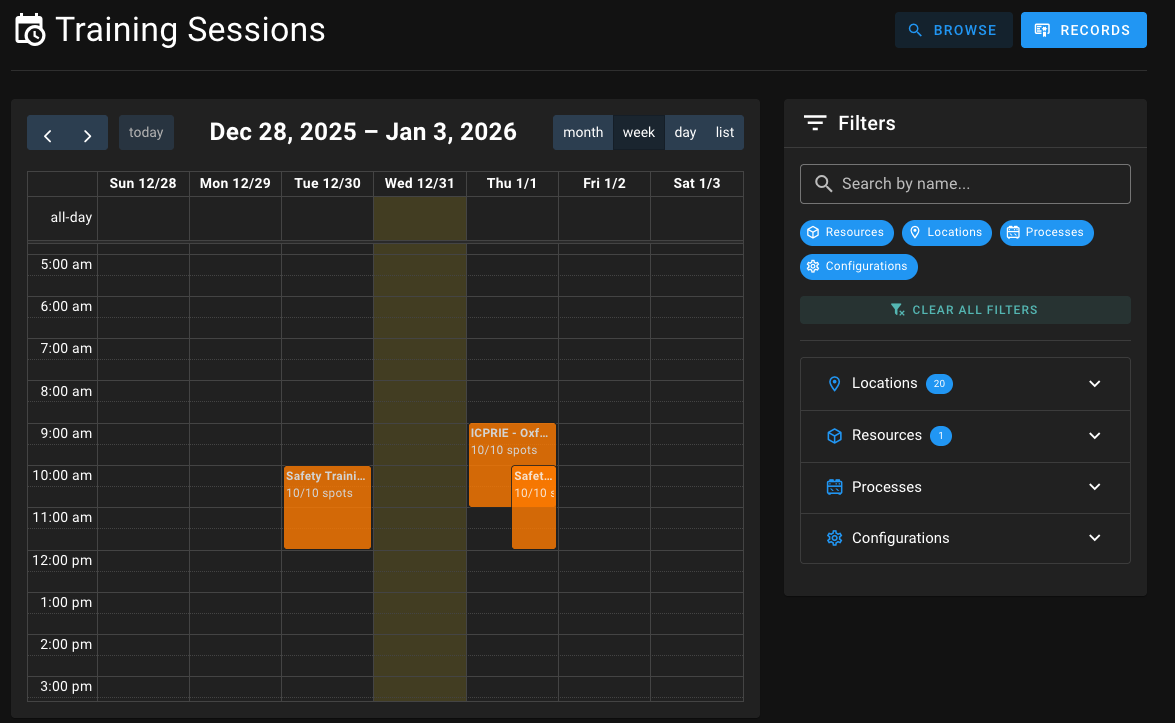
You can find these by navigating to Training.
Your Training Sessions
You can view and register for available Training Sessions through the Training Browser as well. You can also view all of your confirmed, and waitlisted training in your Schedule page as well
What You’ll See
- A calendar view showing upcoming training sessions
- Session details including:
- Date and time
- Capacity (number of available spots)
- Associated resource or process
Joining a Session
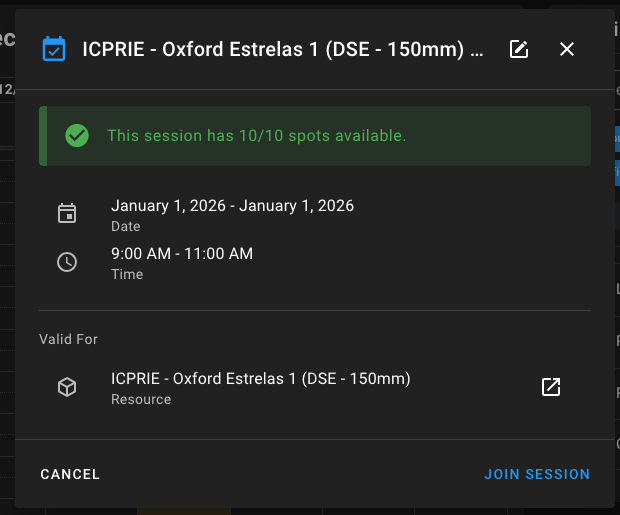
- Click on a training session in the calendar
- Review the session details
- Click Join Session if spots are available
If the session is full, you may be able to:
- Join a waitlist (if enabled)
- Request individual training instead
Requesting Training (Individual Training)
If no scheduled session is available, you can request training.
You can do this from:
- The Training → Browse page
- Directly from a Resource page
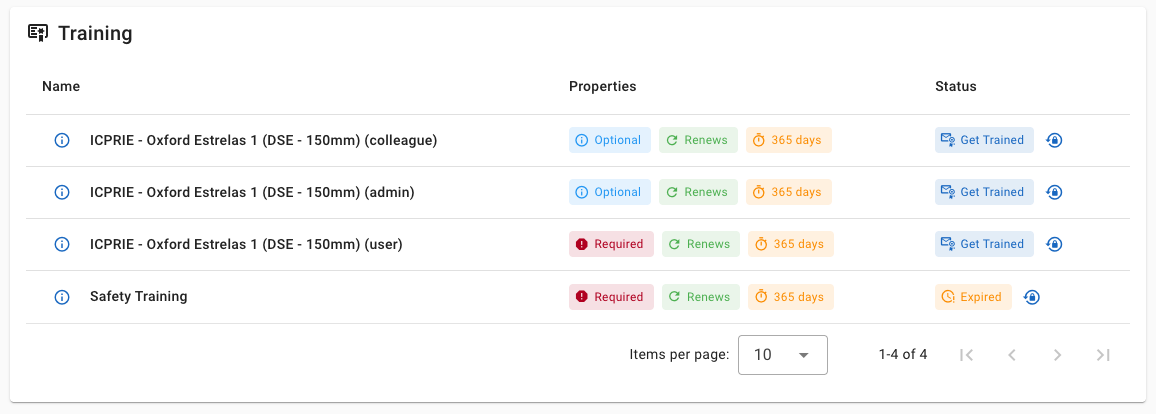
How Training Requests Work
- Click Get Trained or Request Training
- Submit the request
- A trainer or administrator will follow up
- The time and format are coordinated outside the system
Once completed, your Training Record will be updated.
Viewing Your Training Records
Your training history is visible under Training → Records.
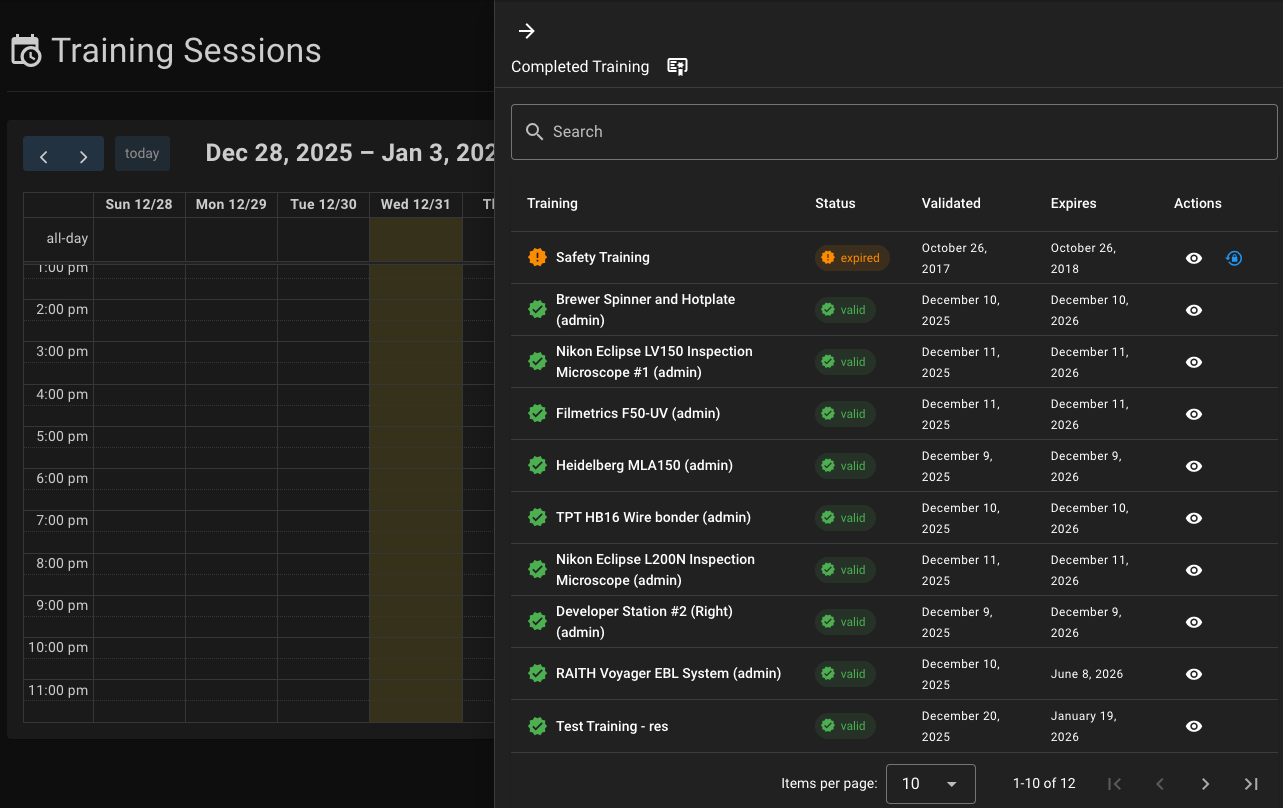
Each training shows:
- Status
- Validation date
- Expiration date (if applicable)
- Available actions
Training Statuses
| Status | Meaning |
|---|---|
| Valid | Training is complete and access is allowed |
| Expired | Training is no longer valid |
| Revoked | Training has been removed or invalidated |
If a training is Expired or Revoked, access will be restricted until retraining is completed.
Renewing or Repeating Training
Some trainings must be renewed periodically.
If a training:
- Has expired
- Was revoked
- Requires renewal
You’ll see an option to Request Retraining.
This creates a training request that you’ll coordinate with the trainer.
How Training Affects Access
Training impacts access at multiple points:
- Booking — You may be prevented from booking without valid training
- Starting a Session — You may be blocked from starting a booking
- Using a Resource — Access may be denied until training is valid
Colabmacs will clearly explain:
- Which training is required
- Whether it is expired or missing
- What action you can take next
Summary
Key Points
- Training controls access to resources and processes
- Sessions let you join scheduled training
- Requests let you arrange individual training
- Training Records show your current status
- Expired or revoked training must be renewed to regain access