

Resources are the core of Colabmacs.
They represent the equipment, workspaces, and shared assets that you can book, access, and use within your facility.
Everything else in the system — training, scheduling, sessions, and usage records — exists to support safe, fair, and well-managed access to resources.
This page explains what a resource is, what information it contains, and how each part affects your ability to book and use it.
What Is a Resource?
A Resource can be anything that needs controlled access, such as:
- Equipment or machines
- Instruments or tools
- Rooms or workspaces
- Shared assets
- Staff-supported services
Each resource belongs to a Location, has its own schedule, and may include training requirements, access rules, and usage tracking.
You will only see resources that are relevant to you and your facility.
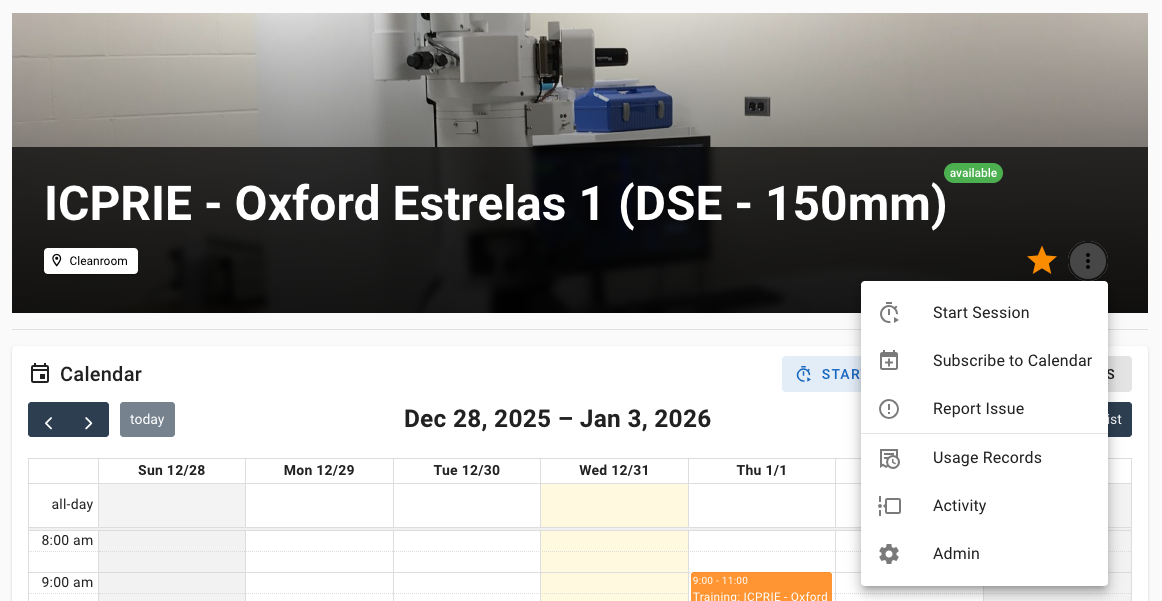
Viewing a Resource
You can access a resource by navigating to
Resources → Select a Resource
When you open a resource, you’ll see a full overview of:
- Availability and schedule
- Training and access requirements
- Configuration options
- Assigned support staff
- Usage history and activity
Resource Calendar & Schedule
The Calendar shows when the resource is available and how it’s being used.
What You’ll See
- Available time slots
- Existing bookings (yours and others)
- Maintenance or downtime
- Holiday closures
- Daily operating hours
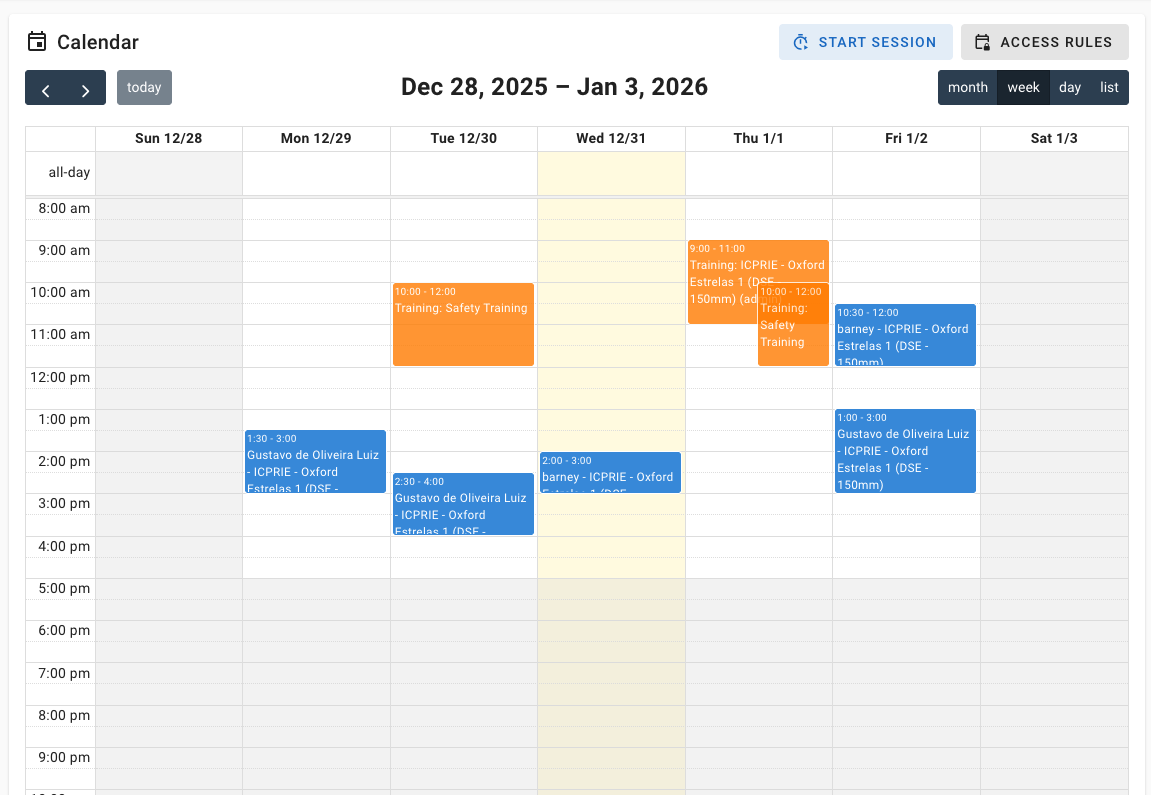
You can switch between day, week, month, and list views to explore availability in the way that works best for you.
Booking a Resource
If a resource is available, and you meet the requirements, you can create a booking directly from its calendar.
When you attempt to book, Colabmacs automatically checks:
- Your training status
- Active access rules
- Resource and location schedules
- Maintenance or downtime
- Holiday restrictions
If something blocks the booking, the system will clearly explain why and what you need to do next.
👉 Learn more about bookings in
Managing Bookings
Training & Access
Some resources require training before they can be booked or used.
What This Means for You
- Required training is shown directly on the resource
- Your training status is always visible
- Expired or missing training will block booking
- You can request or register for training directly
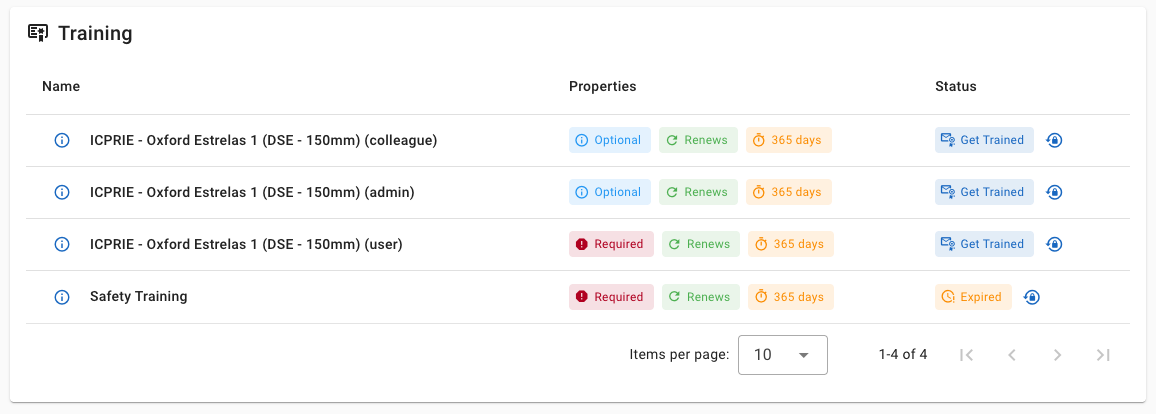
Training does not happen inside Colabmacs — the platform records training records that determine access.
👉 Learn more in
Training & Access
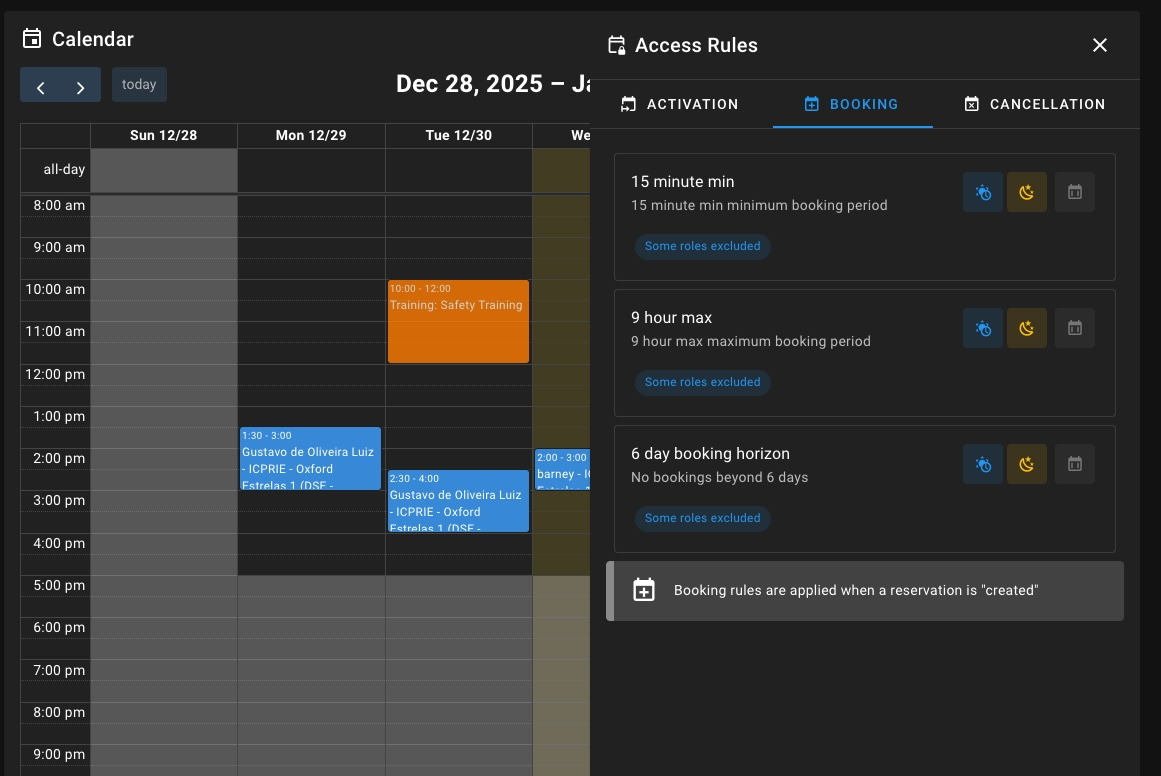
Access Rules (At a Glance)
Access rules define when and how a resource can be used.
From a user perspective, this may affect:
- Who can book the resource
- When it can be booked
- Whether approval is required
- How long bookings can be
- Whether sessions must be started on time
You don’t need to understand the rules themselves — Colabmacs enforces them automatically and tells you what’s required.
Infrastructure Dependencies
Some resources display Infrastructure information showing the systems they depend on.
New in This Release
Resources can now show richer upstream infrastructure dependency chains, including whether each dependency is Required or Optional and whether a dependency issue is affecting availability.
This may include things like:
- Power
- Vacuum
- Cooling water
- Gas
- Network or controller dependencies
If a resource has upstream dependencies, you may see:
- A dependency chain
- Whether a dependency is Required or Optional
- A Dependency issue indicator when an unavailable required dependency is affecting the resource
This helps you tell the difference between a problem with the resource itself and a problem with supporting infrastructure.
Processes
Some resources support one or more Processes.
A process represents how the resource is used, such as:
- A specific operating mode
- A defined workflow
- A supported technique
Processes may:
- Require additional training
- Have different booking rules
- Affect usage tracking
- Incur different charges
If a process applies, you’ll see it when booking or starting a session.
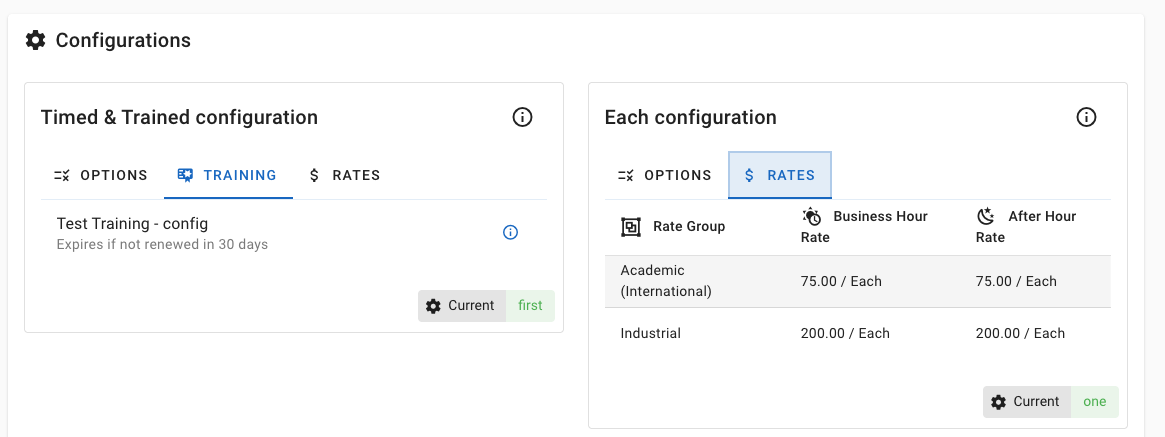
Configurations
Resources may offer configurations that change how the resource is prepared or operated. Some configurations may require advanced notice in order to ensure the facility has time to set up.
Examples include:
- Tooling or setup options
- Material types
- Operating modes
Configurations are usually selected:
- When creating a booking
- Or when starting a session
Some configurations require advance notice or staff involvement — if so, the system will guide you.
Parameters (Usage Information)
Some resources ask you to provide parameters when you use them.
Parameters help the facility:
- Track usage accurately
- Collect required operational data
- Support billing or reporting
You may be prompted:
- Before starting a session
- After completing a session
- Or both
Examples include run counts, material usage, or operating conditions.
Sessions, Usage Records & Charges
When a booking starts, it becomes a usage session.
Key Concepts
- Booking → Reserves time on the resource
- Usage Session → Begins when the booking is started
- Usage Record → Captures what actually happened
- Charge → May be generated from the usage record
Not all resources generate charges, but all usage is tracked for visibility and accountability.
👉 Learn more in
Managing Bookings
Team Members & Support
Each resource may have assigned team members, such as:
- Resource owners
- Technicians
- Trainers
- Support staff
These are the people to contact if you:
- Have questions
- Need help with training
- Experience an issue during use
Rates (If Applicable)
Some resources have usage rates associated with them.
- A given resource may have multiple rates
- Rates may vary by user type, project, or time of day
- Charges are calculated automatically
- You don’t need to calculate anything yourself
If a resource generates charges, they are based on actual usage, not just the booking time.
Why This Matters
Resources bring together everything Colabmacs manages:
- Access control
- Safety and training
- Scheduling and availability
- Usage tracking
- Accountability and reporting
Understanding how resources work will help you:
- Book confidently
- Avoid access issues
- Plan your work efficiently
- Get the most out of the facility