

Training Management
Training is a core control mechanism in Colabmacs. It allows administrators to ensure that only qualified users can access specific Resources, Locations, Processes, or Configurations.
Colabmacs does not deliver training content. Instead, it records training outcomes and uses them—together with Access Rules—to control access throughout the system.
This page explains the three-layer training model used by Colabmacs and how administrators manage each part.
The Training Model (Important)
Training in Colabmacs is intentionally separated into three distinct concepts:
1. Training (Definition)
A Training defines what qualification exists and what it unlocks.
Examples:
- Laser Safety
- CNC Router – Basic
- Wet Lab Orientation
A Training defines:
- Validity rules (Days Valid, Renew on Use)
- Which items it applies to (Resources, Locations, Processes, Configurations)
- Which roles are granted when training is valid
- Optional prerequisites
A Training does not represent a person or an event.
2. Training Sessions (Scheduling)
A Training Session represents a scheduled opportunity to complete a Training.
Sessions:
- Appear on the Training Calendar
- Have a date, time, and capacity
- Can support waitlists
- Are typically used for group training
Sessions are optional:
- Trainers can create sessions in advance
- Sessions can also be created ad-hoc when a training request is received
- Some trainings may never use sessions at all
Info
Training sessions that are full and do not offer a waitlist are not rendered in the user-facing index.
3. Training Records (Outcome)
A Training Record represents the outcome for a specific user.
This is the object that:
- Access Rules evaluate
- Determines whether a user can book or use a resource
- Expires, renews, or is revoked over time
Training Record states:
- Valid — access allowed
- Expired — access denied
- Revoked — access denied
Key Principle
Access Rules only evaluate the Training Record state. They do not care about sessions or scheduling details.
Training Model Diagram
How to Read This Diagram
- Training defines the qualification and its rules
- Training Sessions are optional scheduling tools
- Training Records are the authoritative outcome
- Provided Roles are granted by valid Training Records
- Access Rules evaluate roles (not sessions)
- Resources enforce access through rules
Info
Access control flows through: Training Record → Roles → Access Rules
Creating and Managing Trainings
Creating a Training
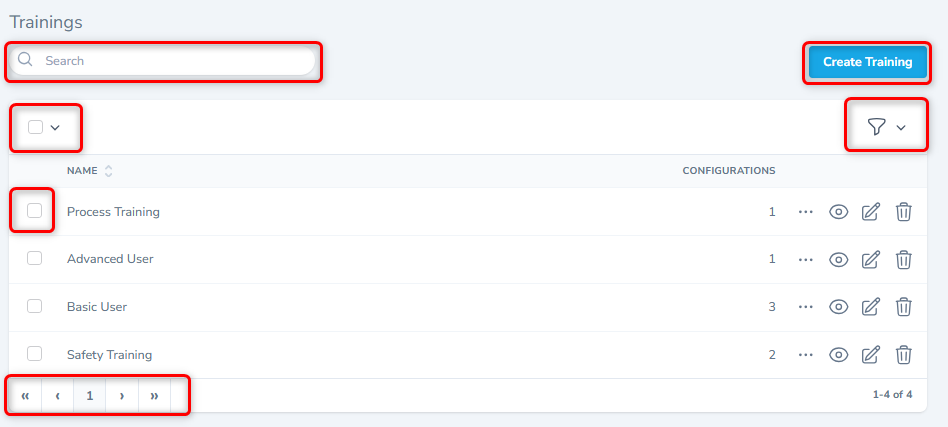
From the Trainings list, click Create Training.
When creating a Training, you define the rules of validity, not the delivery method.
Key fields:
| Field | Purpose |
|---|---|
| Name | Clear, descriptive name |
| State | Open or Closed (controls visibility) |
| Days Valid | How long the training remains valid |
| Renew on Use | Automatically renews on successful usage |
| Description | Safety notes, requirements, or instructions |
Tips
Training content itself lives outside Colabmacs (documents, LMS, in-person instruction).
Prerequisite Training
Trainings may define prerequisite training requirements.
When prerequisites are configured:
- Users must hold valid Training Records for all prerequisites
- Users without prerequisites cannot join sessions
- Requests and registrations are blocked automatically
Info
Prerequisites are evaluated at join time, not at booking or usage time.
Provided Roles (Critical Concept)
Trainings can grant roles to users when their Training Record is valid.
These roles:
- Are assigned automatically when training becomes Valid
- Are removed automatically when training becomes Expired or Revoked
- Can be evaluated directly by Access Rules
This allows you to build role-based access control driven entirely by training outcomes.
See: Role-Based Rule Application
Associating Training with the Facility
A Training can be attached to one or more Trainables:
- Locations
- Resources
- Processes
- Configurations
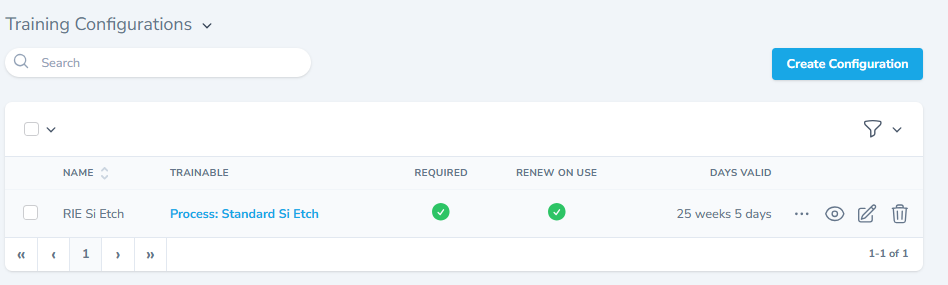
This allows precise enforcement without duplicating trainings.
Training Sessions
Training Sessions define when training occurs.
Enhanced Session Management
The Training Index has been updated to align with other index pages:
- Expanded calendar view
- Filters moved into a drawer
- Improved session visibility and navigation
Users can:
- Register for sessions
- Join waitlists (if enabled)
Trainers and admins can:
- Create sessions manually
- Create sessions on demand
- Manage attendees more efficiently
Trainer Views (“My Trainings”)
Trainers now have access to enhanced views showing:
- Delivering — sessions they are leading
- Confirmed — upcoming sessions they are attending
- Waitlisted — sessions awaiting placement
These views are available from:
- The Training Index
- The Schedule page
Trainers can:
- View attendees
- Manage Training Records
- Access future sessions by default
- Access past sessions via date search
Private trainer-only events are visible to trainers in these views.
Training Usage Sessions & Charges
Training Sessions can generate usage sessions, usage records and charges.
Resource-Backed Training
If a Training Session has an associated resource:
- A resource usage session is created
- Standard access rules apply
Resource-Less Training
If a Training Session has no associated resource:
- A training usage session is created
- The session is still tracked
- Usage records may still generate charges
Billing Implications
- Rates may be defined directly on Trainings
- All standard billing rules apply
- Training detail pages display rates when configured
This allows facilities to bill for:
- Instructor-led training
- Certifications
- Classroom or orientation sessions
Training Records (User Outcomes)
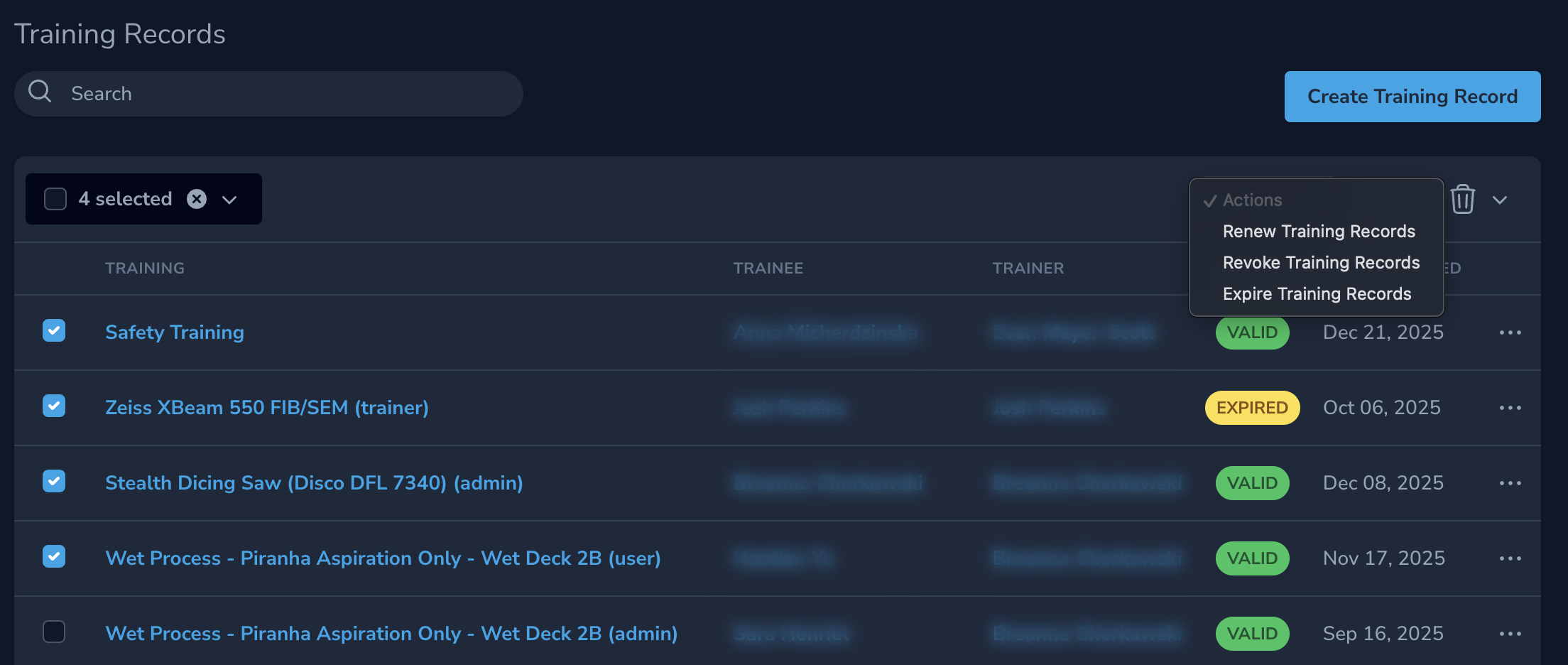
Training Records link:
- A User
- To a Training
- With a current state
Admins and trainers can manage records from the admin panel.
Warning
Changing a Training Record state immediately affects access enforcement.
Renew on Use
When Renew on Use is enabled:
- Validity resets after successful usage completion
- Not at booking time
- Not at session start
This is ideal for:
- Continuous competency validation
- High-frequency equipment use
Best Practices
- Use Provided Roles rather than checking trainings directly
- Attach training at the highest sensible level
- Use prerequisites to enforce progression
- Use sessions when capacity matters
- Expect training sessions to generate usage and charges where appropriate
- Avoid manual Training Records except for exceptions